Mine Japanese from everything you play, read, or watch
One hotkey to scan your entire screen and analyze any Japanese text. One button to add any kanji or vocabulary to your MaruMori SRS queue. Completely free to use!



Three steps from confusion to understanding
No clipboard copy-paste. No screenshots. No switching apps. Uninterrupted immersion.
Press Your Hotkey
MaruDex analyzes the current screen, across any window, any app, even fullscreen games.
Hover & See Definitions
Hover on a text region, and MaruDex parses it one word at a time, showing kanji, vocabulary, conjugation details and sentence structure.

Hit + to mine
One click sends a word or kanji straight to your custom MaruMori study lists for SRS-based study.
Built for zero friction
Transition seamlessly from encountering an unknown word to mastering it.
Four ways to look at the same word
MaruDex doesn't just throw a dictionary entry at you. Flip between vocabulary, kanji breakdown, and the original sentence, without leaving the overlay.
- Definitions, frequency tags and other details
- The kanji tab lets you quickly add any contained kanji to your study lists
- The conjugation tab breaks down the conjugation flow for you
- The sentence tab shows you a breakdown of the entire sentence
Every sentence, outlined in red
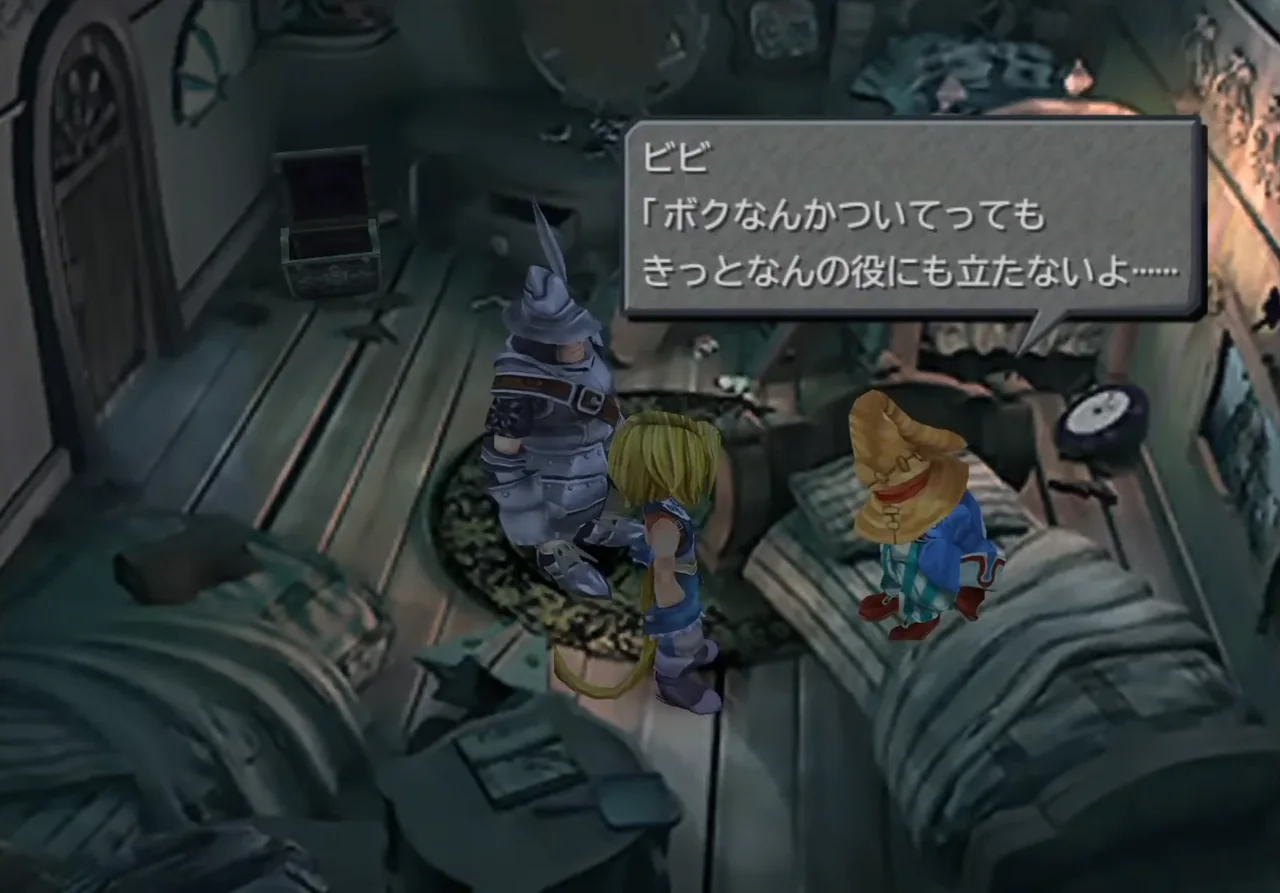
An instant scan that outlines every text region found, including stylized fonts, manga bubbles, and low-resolution subtitles.
- Recognises horizontal & vertical text
- Handles furigana, stylized fonts, old-school games and more
- Works with anything currently on your screen
From sighting to SRS in one tap
Hit + and a word or kanji lands directly in your custom MaruMori study list where you can see kanji breakdowns, mnemonic stories to learn with, pitch information and example sentences.
- Pick which MaruMori study list to drop it into
- Skips duplicates you already know
Deep integration with MaruMori
Current SRS Level & Status, Frequency tags and more! Each lookup tab shows you an info-rich overview. Click on any item to go to the corresponding MaruMori dictionary page.
- MaruMori Adventure List indexes for quick reference
- Shows the current SRS level and status of any words/kanji you already know
- JLPT tags (N5–N1) shown inline
Re-mine what you almost forgot
Whenever you start a session, any lookups you do will be saved. Look through your previous sessions at any time, so that you can keep immersing without breaking your flow. Handy for when you're not sure if you want to add something to your SRS on MaruMori yet, or if you just want to review what you've been looking up recently.
- All your sessions saved locally
- Find patterns in your lookups
- Add interesting entries to MaruMori
Privacy focused
MaruDex runs locally: no cloud uploads, no screenshots uploaded to servers, nothing. Works on a plane, on your deck, anywhere.
- 100% on-device OCR with our custom MaruOCR engine
- Only retrieves dictionary data when needed
- Lookup history stored locally
Mine on the go, anywhere, anytime
On Android, MaruDex lives as a floating overlay, a tappable bubble that follows you between apps. On dual-screen handhelds like the AYN Thor, the popup lands on the second screen so your game stays untouched.

Floating bubble, on top of any app
Tap to scan whatever's on screen at any time, works with games, manga apps, websites, e-reader apps, anywhere.
Dual-Screen Mode
On the AYN Thor and other dual-screen Android devices, the lookup window automatically routes to the secondary display.
Native on (almost) every device you already own
Same hotkey, same overlay, same MaruMori integration.
The immersion half of the platform you're already on
MaruMori gives you a grammar, kanji, and vocabulary foundation, and MaruDex lets you build on top of it using content you love.

So what is MaruMori, exactly?
The most complete (and most fun!) platform for learning Japanese! Containing everything you need to start, round out, and finish your journey from absolute beginner all the way to N1 (and beyond). In-depth grammar lessons, original reading exercises, study tools, mini-games, JLPT mock exams and much, much more.
You have questions, we have answers
Will it work with [my game / my manga reader / YouTube]? +
MaruDex can scan any text that appears on your screen, in any app, game or browser, regardless of whether you're using Steam, Kindle, a Visual Novel, YouTube, or a video player.
Do I need a (paid) MaruMori account? +
Currently, yes, as it is still in early access. However, we do we plan to make the core OCR + dictionary features available without an account in the near future so anyone can use it for lookups.
How accurate is the OCR, really? +
Our MaruOCR Engine is typically super accurate for most content types (including vertical text, manga, game fonts, etc). In the rare cases it fails to pick something up, it might be worth trying to zoom in or doing a rescan!
Is my screen data shared anywhere? +
No screenshots or data leaves your machine. All OCR is done locally, with item data coming from our online dictionaries.
What about on Steam Deck? +
The Steam Deck build runs only in Desktop Mode. Our recommendation is to make use of one of the remappable back buttons for convenient lookups!
Is there an iOS or iPad app? +
No, sadly due to platform restrictions, MaruDex won't work on iOS devices, as iOS doesn't allow apps to overlay other apps. Though in the future we might release an app that lets you import images to run OCR on.
Can I use it offline? +
Yes, but with a few caveats. OCR works, but lookup dictionary data is only available offline if it has been previously cached. However, you can still add words to your MaruMori study list and look up the dictionary information from the history window later on when you're back online.
Why use MaruDex VS (other OCR tool)? +
For one, it's completely free! (Post-early access.) What's more, MaruDex uses a custom-made OCR engine that outperforms the competition in both accuracy and speed. And since MaruDex integrates seamlessly with MaruMori, you can go directly from immersion, to dedicated vocabulary, kanji, and grammar study, all while tracking your stats, making study friends, and much much more.
Why study using native content? +
Consuming native content is an indispensable part of improving at Japanese! It lets you get familiar with how the language really works, but
it can be pretty difficult to get started with, especially at first. Unknown kanji, vocab, and difficulty figuring out where one word starts
and another begins can be serious roadblocks.
This is where MaruDex comes in to help you immerse by allowing you to parse sentences,
look up words/kanji, and SRS anything you find with ease!
Seamless immersion is one hotkey away
Free download, local OCR and MaruMori integration.